Operator > Search
The Operator page is used to manage and maintain information of all system users, including roles and permissions set for each operator.
Access each section of the Operator activity by first selecting an operator through the Operator > Search page, then navigating to the desired information section using the link(s) available in the Search Results or by clicking on the appropriate menu items on the Navigation bar.
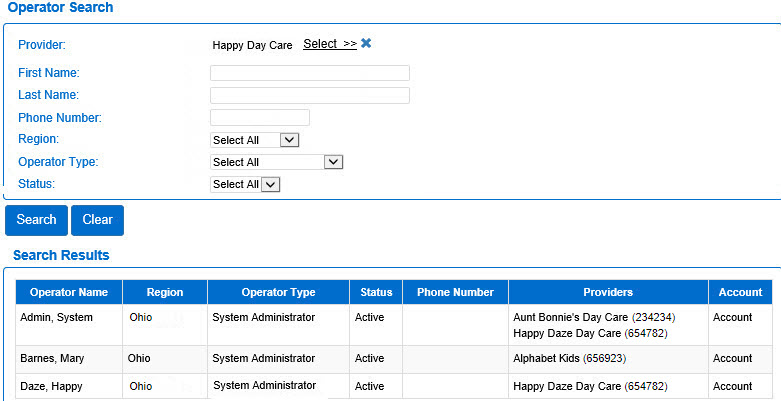
Use the Operator > Search page to locate and access records of authorized operators for the KinderConnect system. The Operator > Search page contains a variety of fields used to enter one or more criteria to perform the search. The more criteria you select, the more accurate your search results will be.
Search for Operators
- Select the Operator activity from the Navigation Bar.
- Open the Search page.
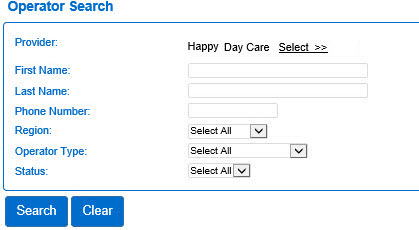
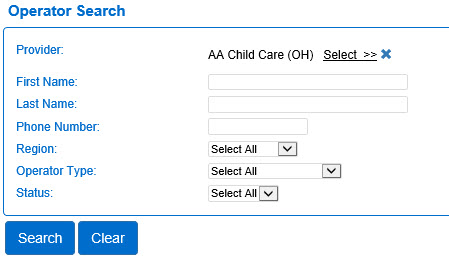
- Depending on your Operator type or previous selection, the Provider field may be populated. If not, press Select >> to enter the criteria to search for a Provider. The more criteria you add, the more specific the results of your search will be.
- Enter the First Name of the Operator, if available.
- Enter the Last Name of the Operator, if available.
- Enter the Telephone Number of the Operator, if available.
- Press the drop-down arrow to select the Region where the Operator is located.
- Press the drop-down arrow to select the Operator Type.
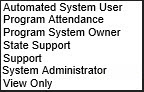
| Type |
Description |
| Automated System User |
An individual that is a user of the automated system. |
| Program Attendance |
The individual in charge of the attendance of the Program. |
| Program System Owner |
The individual that owns the system of the Program. |
| State Support |
The member of the State staff that provides customer care. |
| Support |
The individual in the customer care center who assist State staff and Provider employees when they request assistance. |
| System Administrator |
The member of the State or agency staff that owns the KinderConnect system who is responsible for its setting and ongoing administration. Operators with this role have full access to all user accounts and all data. |
| View Only |
An individual that only has viewing privileges, is not authorized to make any changes. |
- Press the drop-down arrow to select the current Status of the Operator: Active or Inactive.
- Press
 next to the Provider selector if you would like to clear the selection and re-enter.
- Press Search to display the results.
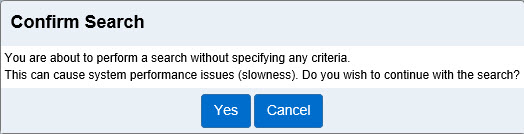
- If no search parameters are entered, the system asks you to confirm the search.
Working with the Search Results
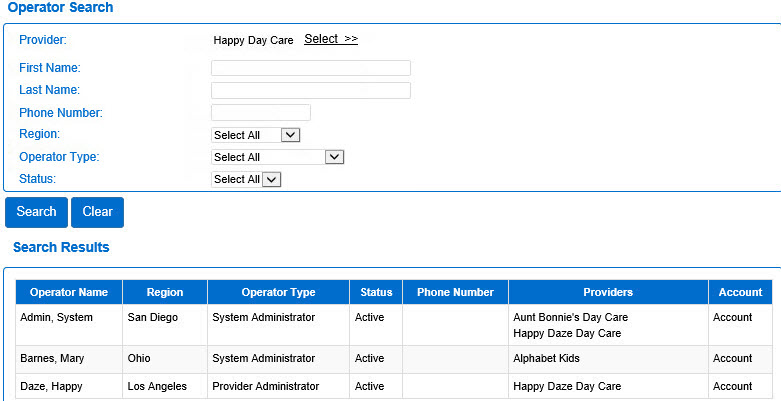
All search activities generate a Search Results grid on the lower portion of the screen listing all records matching the specified criteria. When hovering over the Search Results, the underlined items can be used as links to the other pages under the Operator activity, such as Detail. The Operator Name and Account in the search results serve as links to access those pages. The Program Number displays next to the Provider name.
Click on the Operator name you would like to view to open the individual Detail page for the selected operator. From this page it is possible to make changes, create New, or Delete an Operator Detail as well as use the Upload Picture to add a photo.